Can Long Gaming Cables Support 4K 144Hz ?What You Need to Know About Cable Length Limits

If you’re a PC gamer with a 4K 144Hz high-refresh monitor, you’ve probably run into this problem: You want to place your gaming tower a little farther from the screen, so you grab a long USB Type-C cable, only to find the screen won’t hit 144Hz, or the picture flashes, drops signal, or falls back to 60Hz automatically.
Why does this happen? Is it true that longer cables cannot carry 4K 144Hz signals? Let’s break it down in simple words, no confusing engineering jargon.
4K 144Hz needs huge bandwidth
A 4K resolution screen running at 144Hz refreshes the image 144 times every second. This requires a massive amount of data to travel through your cable at once. High-speed video signals are fragile — the longer the cable, the more the signal weakens along the way. This is called signal attenuation.
Not all USB Type-C cables are built the same. Remember this key rule: USB Type-C is just the connector shape. The actual performance depends on the internal wire, chip, and whether it is passive or active.
Passive copper USB Type-C cables
Most affordable braided USB Type-C gaming cables you see online are passive copper cables. For stable 4K 144Hz over DP Alt Mode:
- Safe range: Under 2 meters. This is the sweet spot for passive cables. You get full 4K 144Hz, HDR, no flicker.
- 2m – 3m: Hit-or-miss. Even premium OFC braided passive cables may struggle. Some setups work, some lock to lower refresh rates.
- Over 3m: Almost impossible for passive copper cables to hold steady 4K 144Hz. Signal loss will cause black screens, screen flickering, or downgrade to 4K 60Hz.
Even if the listing says "4K 144Hz", it usually means it works well at short lengths, not 5m or longer.
What if you really need a cable longer than 3 meters for gaming?
If your desk layout needs a 3m, 5m or even longer cable to connect your gaming PC and 4K 144Hz monitor, passive copper cables are not your answer. You will need an active cable or active optical fiber (AOC) cable.
Active cables carry built-in signal booster chips. They re-amplify the video signal mid-way, so high-bandwidth 4K 144Hz can travel much farther reliably. Optical fiber variants can reach 10m, 20m or more with stable video.
But there are trade-offs:
- Active / fiber cables cost more than normal braided copper cables.
- Most active cables support video only; some models limit fast charging power delivery.
Quick buying checklist for gamer
Before you add a long gaming cable to cart, ask yourself these 3 questions:
- What refresh rate and resolution do I need? (4K144Hz = high bandwidth requirement)
- How long exactly do I need the cable to be?
- Am I buying a passive copper cable or active signal-boosted cable?
For most gamer who only need 1m, 1.5m or 2m cables: our heavy-duty braided USB Type-C cable is perfect. It uses high-quality OFC conductors, sturdy braided outer shell, anti-break strain relief, and supports DP Alt Mode for smooth 4K 144Hz gaming without glitches. It’s durable for daily gaming, easy to coil, and resists tearing from frequent plugging and unplugging.
Final Key Points
Long cables are not automatically bad for 4K 144Hz gaming — length is not the only villain. Passive copper cables have strict length limits for high-refresh gaming. Keep passive cables within 2 meters for reliable 4K 144Hz. If you need longer distance, plan for active optical cables instead.
Don’t waste money buying a long cheap cable only to get stuck at 60Hz. Pick the right cable type based on your setup length, and enjoy clean, tear-free high-refresh gameplay.
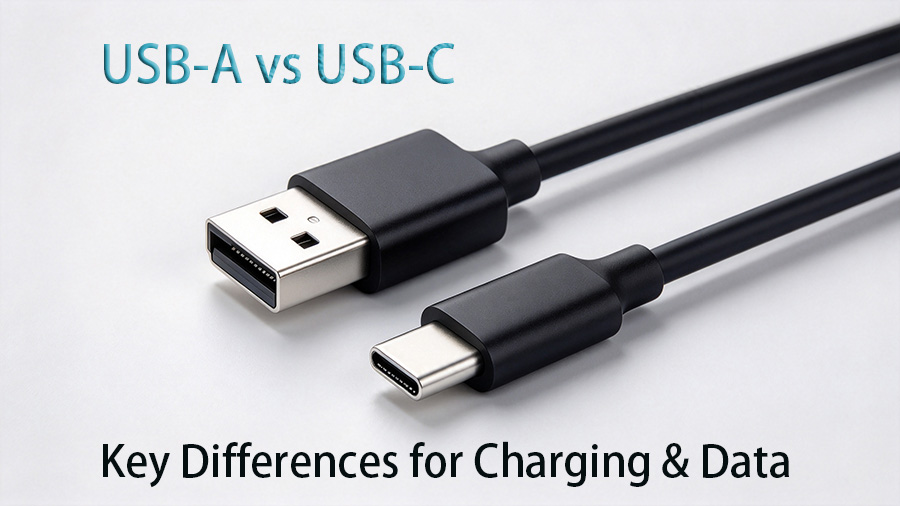
USB-A vs USB-C: What Are the Key Differences for Data & Charging Cables