USB-A vs USB-C: What Are the Key Differences for Data & Charging Cables
Introduction
Nearly every electronic device relies on USB cables for power supply and data communication. While USB-A has dominated the market for decades, USB-C has rapidly become the new standard for modern consumer and industrial hardware. Many buyers mistakenly assume connector shape is the only distinction. In reality, USB-A and USB-C differ widely in physical design, charging capacity, data throughput and multi-functional capability. Choosing the wrong cable can result in slow charging, low-speed file transfer or even failure to run high performance peripherals. This article breaks down their core differences and offers practical selection advice for your projects.
Physical & Mechanical Differences
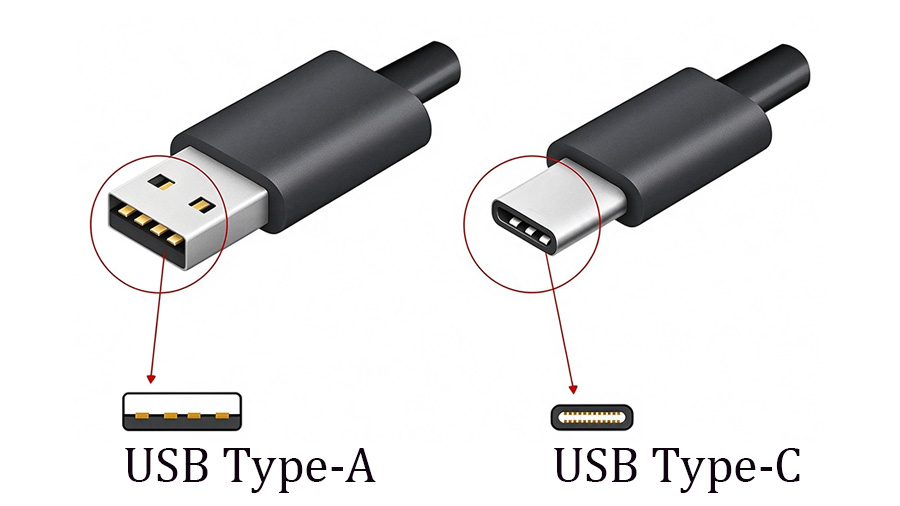
USB-A is the classic flat rectangular connector that most users are familiar with. It can only be inserted in one correct orientation, which often means flipping the plug several times before connection. Though robust for legacy equipment, its larger footprint limits application on slim compact devices.
USB-C features a compact oval-shaped shell with a fully reversible plug. There is no “right-side-up”, so users can plug it in either direction. With more internal pins, USB-C delivers higher mechanical durability, supporting more mating cycles for frequent plug and unplug scenarios on laptops, handheld terminals and industrial accessories.
Charging & Power Delivery Performance
This is one of the most effective gaps between the two standards.
Traditional USB-A delivers limited power. Under common specifications, most USB-A ports output between 5-15 W. Even with proprietary fast-charge protocols, it cannot meet the power demand for charging modern laptops. It works well for earbuds, mice, keyboards and basic mobile phone charging tasks.
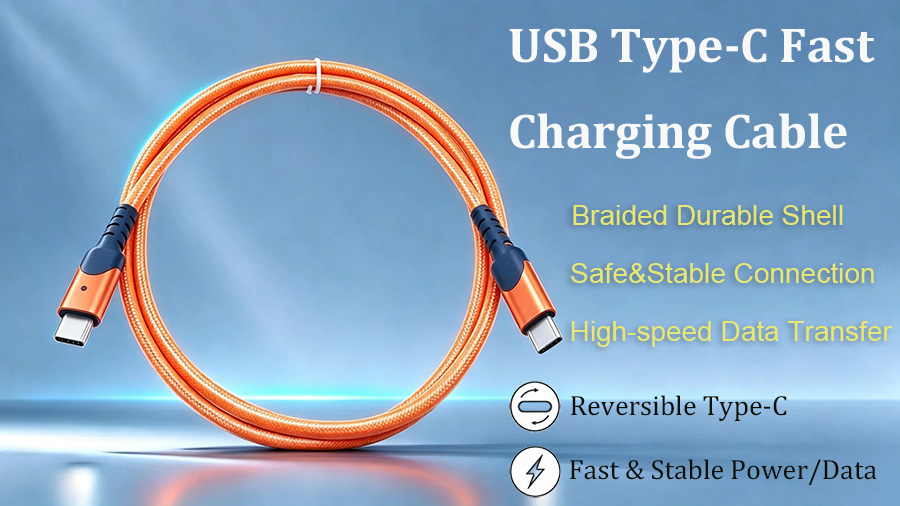
USB-C unlocks high-power charging through USB Power Delivery (USB-PD). With qualified cables equipped with E-Marker chips, USB-C supports up to 240 W power output. A single USB-C cable can charge smartphones, tablets and full-size laptops. This multi-device compatibility simplifies inventory and reduces the number of different chargers required for business deployments.
Important reminder: Not every USB-C cable supports high-wattage PD charging. Always verify cable specs; low-cost unmarked USB-C cables may only offer basic low-power charging.
Data Transfer & Additional Functions
For data transmission, USB-A tops out at 10 Gbps (USB3.2 Gen2). It handles daily document copy and peripheral connection, yet struggles with massive 4K/8K media files or high-speed SSD workflows. USB-A has no native video output support.
USB-C supports up to 40 Gbps under USB4 protocol. Besides ultra-fast data copying, it carries video signals via Alt-Mode, driving monitors and docking stations with one single cable. That means power, high-speed data and video signal can run simultaneously through one USB-C assembly, greatly simplifying desktop and industrial site wiring.
| Comparison Item | USB-A | USB-C |
| Plug Orientation | One-way insertion only, cannot be reversed | Reversible, plug in either direction |
| Physical Shape & Size | Large flat rectangular connector | Small symmetrical oval compact connector |
| Max Power Supply | Up to 15W | Up to 240W (USB-PD supported) |
| Max Data Speed | Up to 10Gbps (USB3.2 Gen2) | Up to 40Gbps (USB4) |
| Video Output | Not supported natively | Support video Alt Mode, connect monitors |
| Durability | Lower plug cycles, easy to wear | Higher plug/unplug cycles, sturdy structure |
| Typical Application | Desktop PC, USB flash drive, mouse & keyboard | New laptops, smartphones, industrial equipment |
Practical Buying & Sourcing Guidelines
- Stick with USB-A when: You connect legacy PCs, classic peripherals such as keyboards and mice, or only need low-cost basic charging solutions for older generation hardware.
- Prefer USB-C when: You need fast laptop charging, large file high-speed transfer, single cable docking solutions, or you source products complying with the EU common charger regulation for modern market sales.
- Watch out for common pitfalls: Many low-grade USB-A to C cables only support USB2.0 480 Mbps speed despite a USB-C plug appearance. Check printed markings, certifications and data sheets before bulk procurement.
Final Thoughts
Neither USB-A nor USB-C is universally superior. USB-A remains cost-effective for legacy compatible basic applications. USB-C represents the forward looking standard for higher power, faster data and multi-signal integration.
Our factory supplies a complete range of certified USB-A, USB-C and cross type USB cable assemblies. Custom options include varied jacket materials, plated contacts and E-Marker enabled high-power cables. Reach out to our engineering team for your custom USB cable solutions.
Can Long Gaming Cables Support 4K 144Hz ?What You Need to Know About Cable Length Limits
Upgrade Your Home Theater Experience: How to Pick the Right HDMI Cable