Coaxial Cable vs Audio Cable: What's the Difference & How to Choose?
Introduction:Why the Right Cable Matters
Choosing the right cable is like giving your audio system the perfect voice. A coaxial cable excels at carrying digital signals, while an audio cable is designed
for analog devices. Pick the right one, and your sound quality shines — pick the wrong one, and you may hear noise, signal loss, or no sound at all.In this guide,
we break down the core differences between coaxial cables and audio cables, so you can make an informed decision for your home theater, studio setup, or
industrial audio system.
What is a Coaxial Cable?
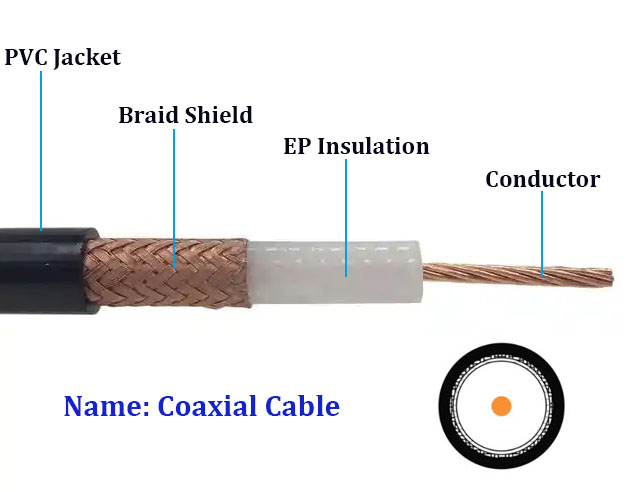
A coaxial cable (or "coax") is a four-layer shielded transmission line made up of a central copper conductor, dielectric insulator, metal braided shield and outer
PVC/TPU jacket. Thanks to this layered build,it features strong resistance to electromagnetic interference (EMI).For audio use,coax mainly handles digital signals
following the S/PDIF (Sony/Philips Digital Interface) standard.It transfers binary pulse-form audio data from sources such as CD players, DACs and streaming
boxes to receivers or amplifiers.
Key Features of Coaxial Cables
- Transmits digital audio signals (S/PDIF format)
- Strong shielding minimizes EMI and RF interference
- Supports longer cable runs without signal degradation
- Typically uses RCA connectors for digital audio
- Also used for RF,video,and antenna signals
What is an Audio Cable?
An audio cable, also known as an analog audio cable, transports continuous waveform-based analog audio signals.Instead of digital pulses like coaxial cables,it
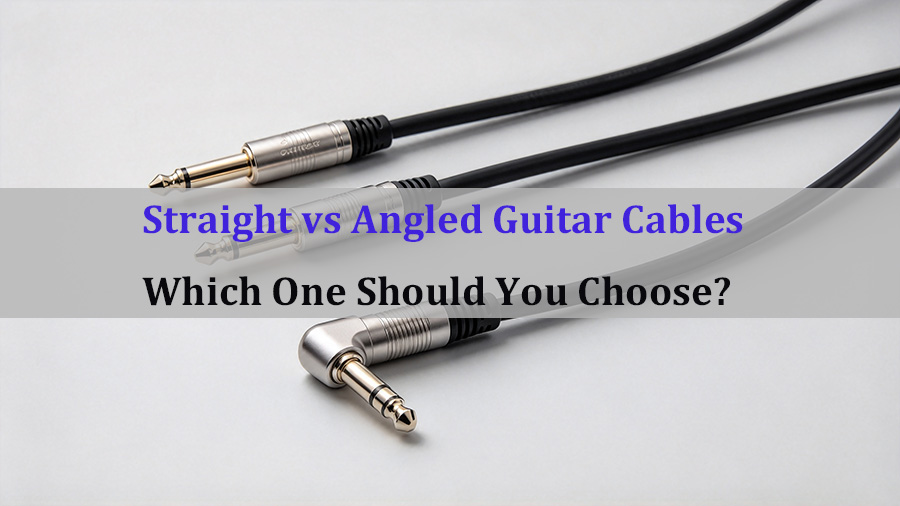
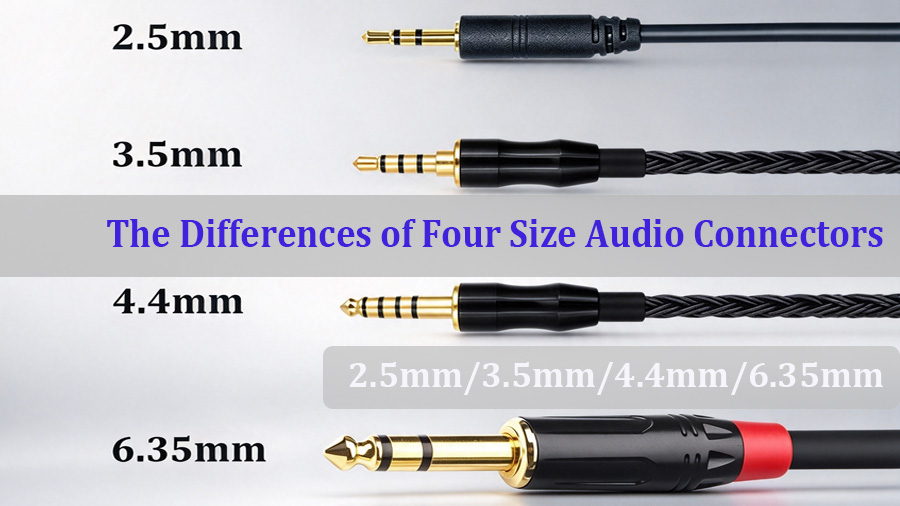
conveys voltage changes that replicate original sound waves.Popular variants cover RCA stereo (red-white), 3.5mm TRS (headphone), XLR balanced for pro mics
and studio equipment,and TS instrument cables for guitars and basses. Most adopt a two conductor plus shield structure,while basic consumer level cables offer
limited shielding.

Key Features of Audio Cables
- Transmits analog audio waveform directly
- Wide variety of connector types (RCA, 3.5mm, XLR, TS)
- Sound quality highly dependent on shielding and build quality
- Longer runs may introduce noise, hum, or signal attenuation
- Directly compatible with amplifiers, speakers, headphones, and mixers
Core Differences: Coaxial vs Audio Cable
The table below summarizes the key differences at a glance:
| Feature | Coaxial Cable | Audio Cable (Analog) |
| Signal Type | Digital (S/PDIF pulse data) | Analog (continuous waveform) |
| Primary Use | Digital audio, RF, video, antenna | Analog audio: amps, speakers, headphones, mics |
| Structure | Center conductor + dielectric + braided shield + jacket | Two conductors + shield (varies by type) |
| Interference Resistance | Excellent — heavy shielding design | Moderate — depends on cable quality and balance |
| Common Connectors | RCA (digital), BNC, F-type | RCA (stereo), 3.5mm TRS, XLR,TS |
| Long-Distance Performance | Strong — minimal signal loss over distance | Weaker — noise and attenuation increase with length |
| Sound Character | Either works perfectly or drops out (digital cliff) | Gradual degradation — hum, noise, muffled highs |
The decision comes down to one question: what kind of signal is your device outputting?
When Choosing a Coaxial Cable:
- Your source device has a labeled "Coaxial" or "S/PDIF" digital output
- You need to connect a CD player, DAC, TV, or streaming box to an AV receiver
- You require a longer cable run (10+ meters) where analog would pick up noise
- You are also routing RF, antenna, or composite video signals
When Choosing an Audio Cable:
- Your device outputs analog audio via RCA (red/white), 3.5mm, XLR, or TS jacks
- You are connecting directly to an amplifier, powered speaker, headphone amp, or mixer
- Your source is a turntable, microphone, guitar, or other analog-only device
- Both your source and receiver lack digital coaxial inputs/outputs
Common Application Scenarios
Home Theater & Hi-Fi Systems
Use a digital coaxial cable to connect your Blu-ray player, TV, or streamer to an AV receiver for 5.1-channel digital audio. Use analog RCA audio cables for connecting
a turntable or cassette deck to your amplifier's phonograph or aux input.
Professional Studio & Live Sound
Studios rely heavily on analog XLR balanced audio cables for microphones and studio monitors, as balanced design rejects interference. Digital coaxial (AES/EBU over XLR or BNC)
may be used for digital transfers between recording gear.
Industrial & Commercial Audio
In commercial installations — conference rooms, retail PA systems, broadcast facilities — coaxial cables are preferred for long digital runs, while analog audio cables
serve local device-to-amplifier connections.
Frequently Asked Questions
Q1: Can I use a regular RCA audio cable as a digital coaxial cable?
A1: While both may use RCA connectors, a standard analog audio cable is not designed for the 75-ohm impedance required by S/PDIF digital signals. For short
runs (under 1 meter), it may work, but for reliable performance — especially over longer distances — use a proper 75-ohm digital coaxial cable.
Q2: Is coaxial audio better than analog audio?
A2: "Better" depends on your setup. Digital coaxial transmits data without degradation, so the signal is either perfect or has dropouts. Analog transmits the waveform directly,
so quality varies with cable build and length. In most modern setups, a digital connection offers more consistent results, but some audiophiles prefer the warmth of high-quality
analog connections.
Q3: How long can a coaxial audio cable be?
A3: For S/PDIF digital coaxial, reliable transmission is typically achievable up to 10–15 meters with a quality 75-ohm cable. Beyond that, signal jitters and data errors may occur.
Analog audio cables should generally be kept under 5–10 meters for unbalanced connections, though balanced XLR cables can run much longer (30+ meters).
Q4: Do coaxial cables carry both audio and video?
A4: A single coaxial cable carries one signal type at a time. In audio, it carries digital S/PDIF audio. In video, it can carry composite video or RF signals.Some older setups used
separate coaxial cables for audio and video, but modern digital coaxial is audio-only.
Q5: What does 75-ohm mean for coaxial audio cables?
A5: 75 ohms refers to the characteristic impedance of the cable, which is the standard for S/PDIF digital audio, composite video, and RF signals. Using a cable with the correct
impedance ensures proper signal matching and minimizes reflections that can cause data errors or jitters.
Conclusion
Coaxial and audio cables have distinct functions. Well-shielded coaxial cables deliver clean digital signals over long distances, whereas analog audio cables send continuous
waveforms to amplifiers and speakers.Knowing their differences helps you avoid connection mismatches.Whether setting up a home theater, studio, or commercial audio system,
matching the cable to your signal is the first step for high fidelity sound.
Need Custom Cables for Your Project?
We produce premium 75-ohm digital coaxial cables alongside a complete lineup of analog audio cables, including RCA, 3.5 mm, XLR and TS options. Customized lengths,connectors
and jacket materials are available to match your project requirements. Our engineering team can assist you in selecting the optimal cable for your use case.Contact us for a technical
consultation or custom quotation.
PVC vs TPU Spiral Cable: Which Is Better for Outdoor Working Conditions?
Related Article