How to Distinguished USB2.0,USB3.2,USB4.0 Rate and Purchase Guide
Introduction
When buying a USB cable,many people only focus on "it can be charged" and "it can be used",but for the same USB cable,the transmission speed may vary by dozens of times.
Today,I will use an article to explain the differences between USB2.0, USB3.0/3.1/3.2,and USB4.0 at one time,so as to help you select lines on demand without wasting money.
Quick Facts of Core Points
USB2.0: sufficient,cheap,suitable for mouse and keyboard,ordinary charging;
USB3.X: fast speed,suitable for mobile hard disk and U disk to copy large files;
USB4.0: Ceiling-level performance,video,high-speed storage,and Thunderbolt compatibility are in place in one step.
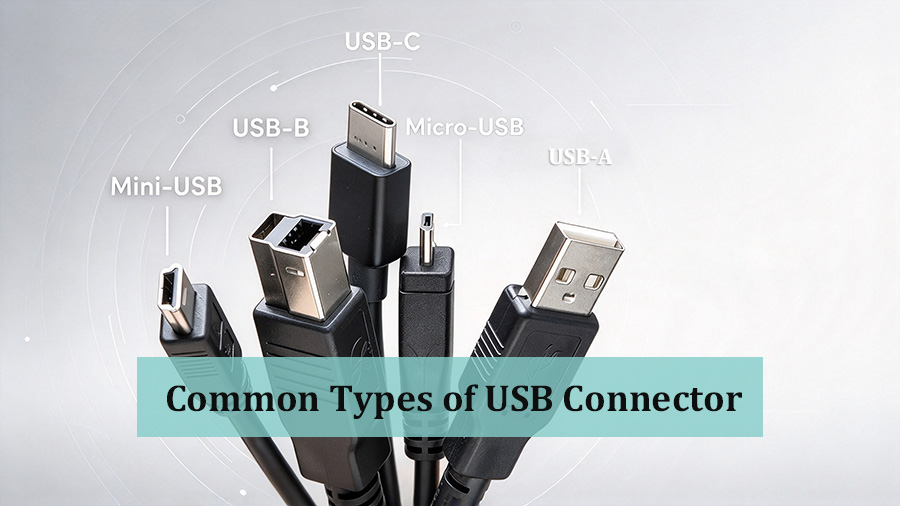
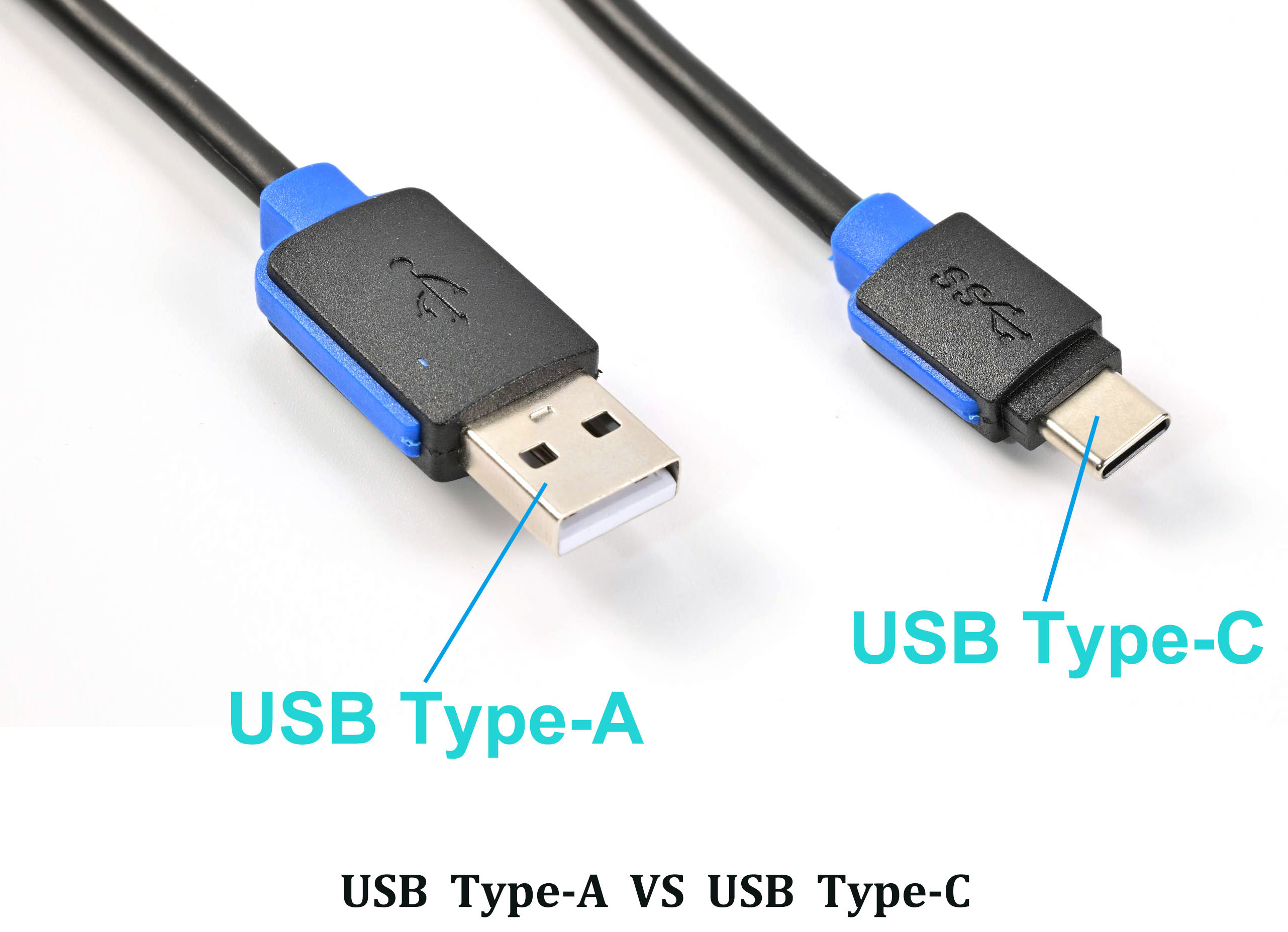
Many people confuse "Type-A, Type-C" with "USB2.0, USB3.0".In fact,they are two sets of concepts:
- Joint shape (Type-A/B/C):only physical appearance, determine whether you can go;
- Transport protocol/version (USB2.0, 3.0, 4.0):Decide how fast to transmit and whether video can be transmitted.
Type-C is just an interface shape,it can be USB2.0, USB3.2 or even USB4-when buying a cable,you must look at the version,not just the connector.
2.Comparison of transmission rates of each version (emphasis)
|
Protocol Version |
Theoretical Speed |
Real-world Experience |
Typical Use |
|
USB 2.0 |
480Mbps (approx. 60MB/s) |
Copy 1GB in about 20 seconds |
Mouse & keyboard, regular charging, USB flash drives |
|
USB 3.0 |
5Gbps (approx. 500MB/s) |
Copy 1GB in 2-3 seconds |
External hard drives, USB flash drives |
|
USB 3.1 Gen2 |
10Gbps (approx. 1GB/s) |
Copy 1GB in about 1 second |
High-speed hard drives, 4K video |
|
USB 3.2 Gen2x2 |
20Gbps (approx. 2GB/s) |
Ultra-fast transfer |
High-performance storage |
|
USB4.0 |
40Gbps (approx. 4GB/s) |
Full-speed, video output capable |
Thunderbolt compatibility, 8K video, docking stations |
Note: The above are theoretical peaks, which will actually be discounted due to the impact of wires, equipment interfaces,power supply, etc.,but the gap between versions is still huge.
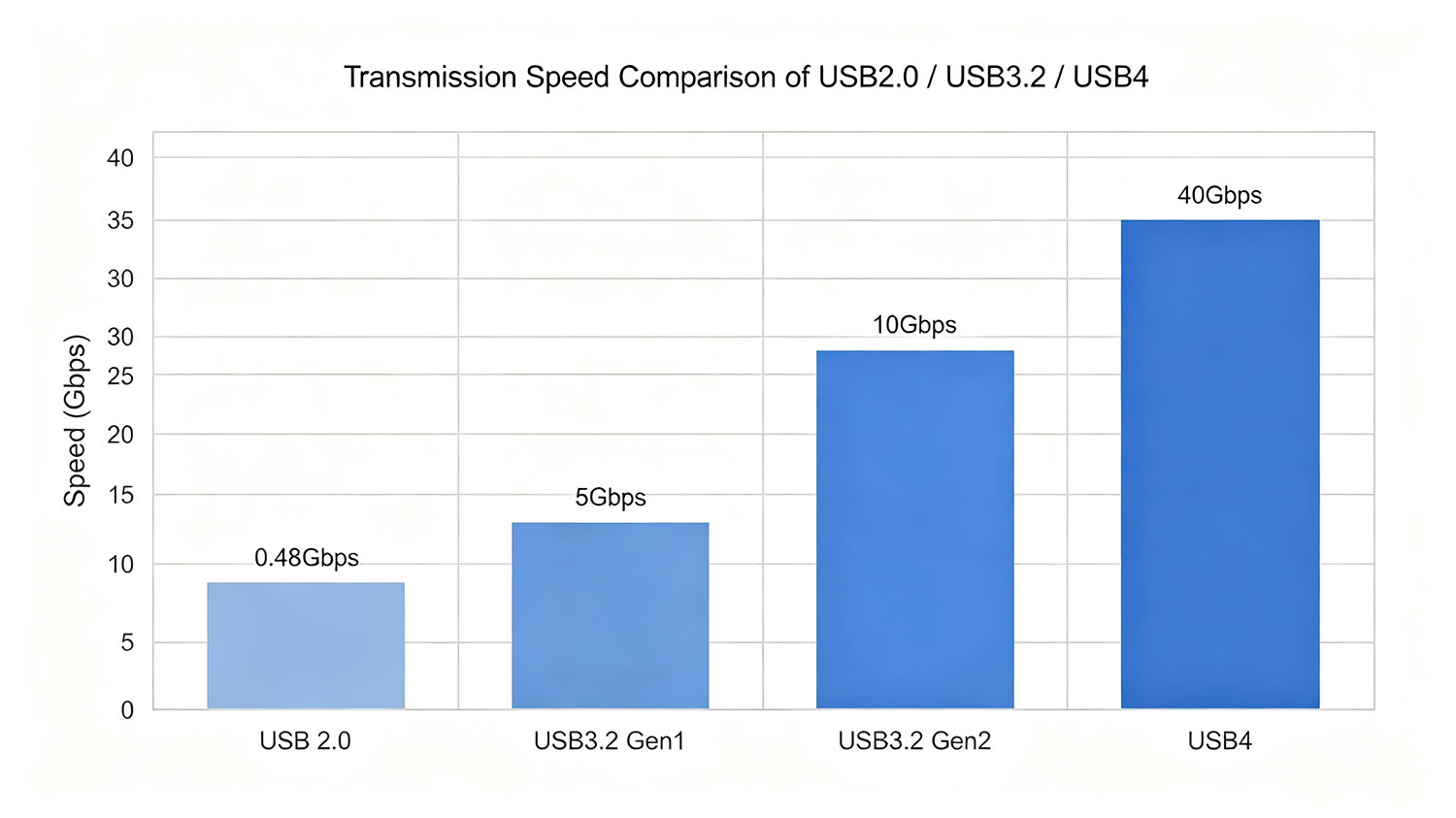
- USB2.0 cable:Ordinary keyboard and mouse,handle,daily charger,completely enough,cost-effective;
- USB3.2 cable:Daily copy of photos,videos,documents,mobile hard disk,U disk is the first choice,the transmission experience is significantly improved;
- USB4.0 cable:Editing large files,connecting monitors to transfer video,external graphics dock and other professional high-load scenarios.
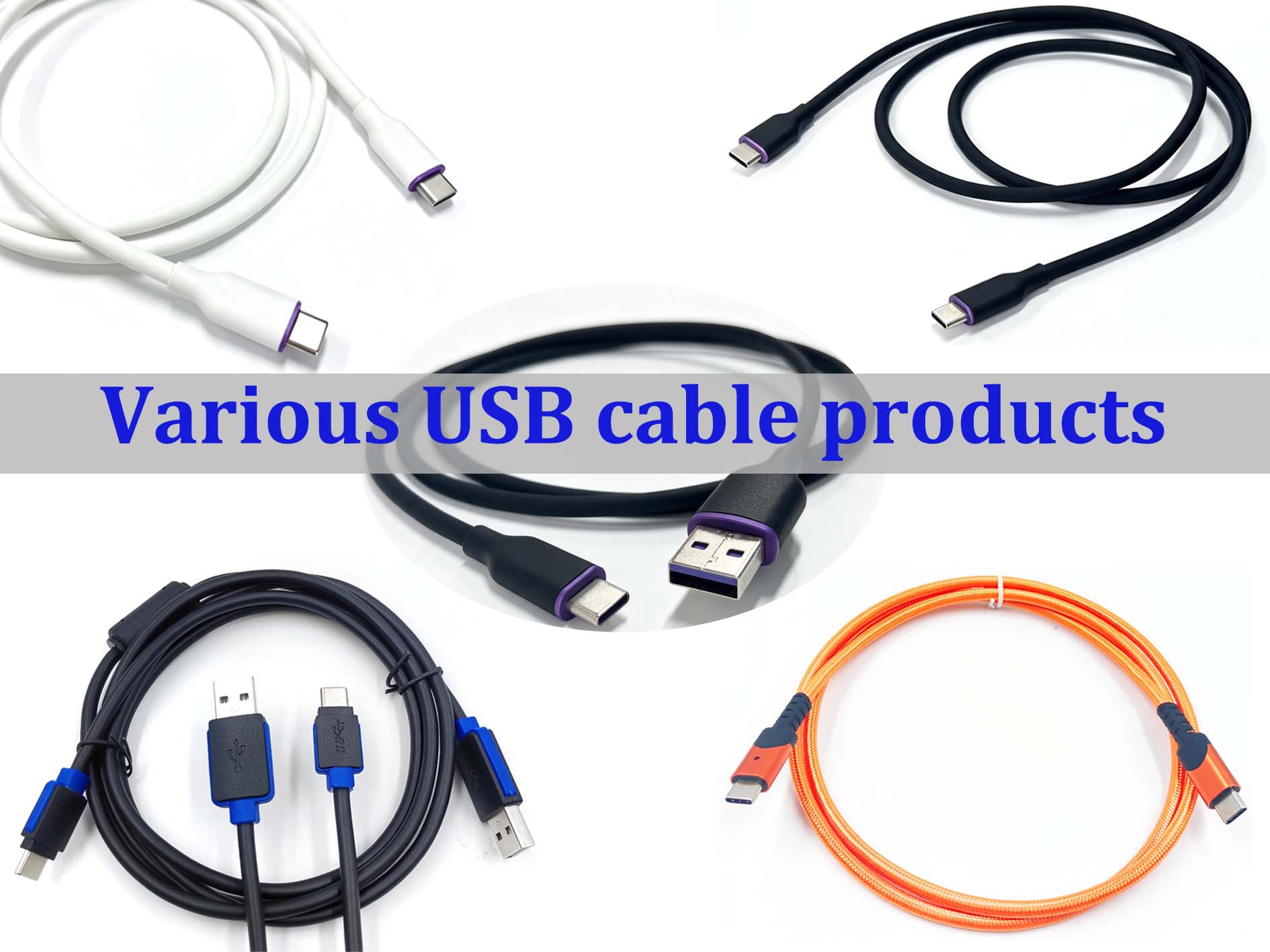
- Look at the line body logo:the regular USB3. x line body will be printed with the "SS" (SuperSpeed) logo or the words "10", "20", "40" speed;
- Look for regular wires:Even if inferior wires are marked with USB3.2, the actual speed may plummet due to too thin wire cores and insufficient shielding;
- Long-line buy carefully: USB high-speed transmission cable length, more than 2.3 meters,it is recommended to choose a signal enhancement or adapter solution to avoid speed drop.
The USB version is not complicated.First think about the purpose,and then choose the version based on the rate, you can avoid the pit of "buying expensive" or "buying slow".For daily lightweight use,
USB2.0 is enough;In pursuit of efficiency,USB3.2 or above is the correct solution.Our company specializes in the production of all kinds of USB cables,covering all versions from USB2.0 to USB4.0.The wire core,
shield,and joint coating can be customized on demand to provide stable and efficient data and power supply transmission for your device.Welcome to consult and select.
M12 Waterproof Cable IP Ratings Explained: IP65 vs IP66 vs IP67 vs IP68
What Is the Difference between Gold Plated and Nickel Plated?
Related Article