How to Protect & Extend the Service Life of Your Gaming Cables
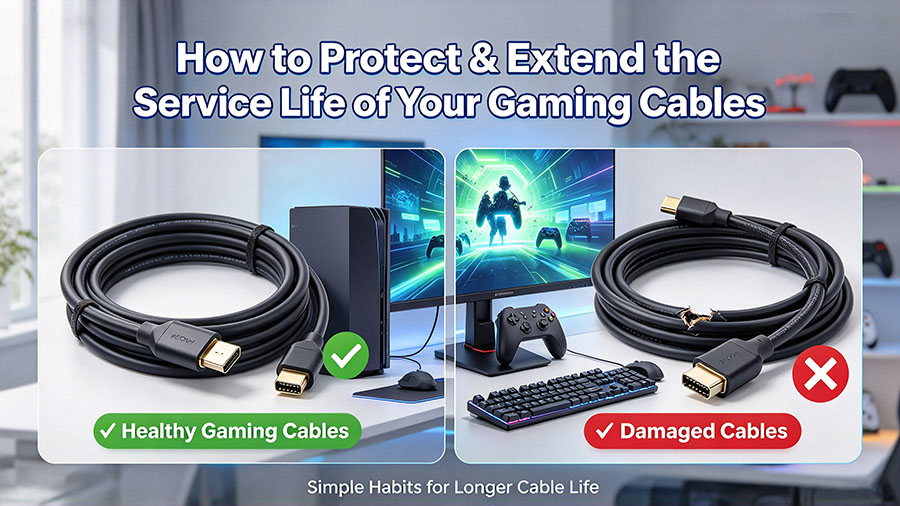
If you have invested in high-performance gaming cables for your PS5, X-box, gaming PC or VR headset, you know how frustrating it is when cables stop working unexpectedly. Frayed outer jackets, loose connectors, intermittent signal drop-outs, or sudden loss of high-refresh-rate output can completely ruin your gaming session. Many gamer blame cable quality for these failures, but poor daily handling is actually the leading cause of early damage. With simple daily care habits, you can effectively prolong the lifespan of your HDMI, Display Port and USB-C gaming cables and keep stable signal performance for years.
1. Avoid Sharp Bending and Tight Coiling
Gaming cables contain delicate internal copper conductors and shielding layers inside the outer jacket.
- Never fold cables at sharp right-angle bends; sharp folds may crack internal wires and break shielding.
- Do not over-tighten zip-ties when bundling your cables. Too much compression can crush the jacket.
- When storing spare gaming cables, coil them loosely into large, gentle loops instead of tight tiny knots. Tip: The recommended minimum bending radius is roughly 5-6 times the cable outer diameter.
2. Reduce Stress on Cable Connector Joints
The junction point between plug and cable is the most vulnerable spot on almost any gaming cable. Constant pulling force here causes internal wire fatigue over time.
- Do not yank the cable to unplug your devices. Always grip the plastic metal connector housing directly, never pull by the cord itself.
- Avoid hanging heavy adapters or dangling cables that put continuous downward tension on the port.
- If your setup leaves cables sticking straight out from the console or graphics card, use small cable clips for strain relief to take weight off the port-cable joint.
3. Keep Cables Away from Heat Sources
Heat accelerates aging of PVC, TPU and other outer jacket insulation materials.
- Route gaming cables away from hot-running devices: graphics cards, game console exhaust vents, power supply units, space heaters.
- Do not trap cables underneath your gaming console or laptop where they get sandwiched and baked by waste heat.
- Leave some ventilation space around bundled cable runs; sealed tight bundles will build up accumulated heat.
4. Proper Cable Management for Your Gaming Desk
Messy desk setups create hidden wear risks day-to-day.
- Route cables behind the desk or use cable trays to prevent rolling over them with your gaming chair wheels. Repeated chair-wheel rolling slowly abrades the outer jacket.
- Keep cables out from under furniture legs. Even light long-term pressure can deform internal conductors.
- Organize with soft fabric cable sleeves; avoid hard sharp-edged plastic organizers that may scratch cable surfaces.
5. Prevent Unnecessary Plug-and-Unplug Cycles
While gaming cable connectors are built for repeated insertion, physical contact surfaces will wear gradually.
- Try to keep your permanent gaming setup plugged in when you do not need to move the hardware frequently.
- If you often swap between multiple displays or consoles, consider adding a good-quality switch box, to reduce constant plugging and unplugging of your main gaming cables.
- Inspect metal connector pins occasionally; do not insert plugs forcefully if they feel stuck.
6. Basic Cleaning & Regular Inspection
Simple inspection helps you catch damage before it triggers signal faults.
- Wipe dirty cable jackets with a soft, slightly damp cloth. Do not use strong alcohol or harsh chemical cleaners, these degrade the outer surface.
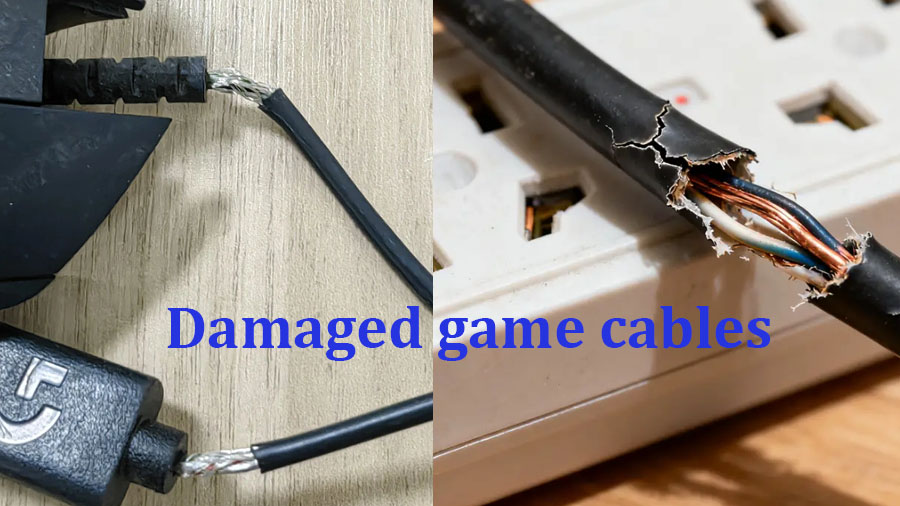
- Every few months, visually check for cracks, nicks, swelling, or fraying along the jacket and near both ends of the connector.
- If you discover visible outer-jacket damage, discontinue using the cable as soon as possible to avoid intermittent signal or overheating risks.
Final Thoughts
High-spec gaming cables such as HDMI 2.1, Display Port 2.1 and high-speed USB-C deliver excellent gaming performance, but they still require reasonable care. You do not need complicated maintenance work; small improvements to bending habits, strain relief, heat avoidance and desk management will noticeably extend their working life. Good care also preserves the original high-bandwidth performance, so you can keep enjoying smooth 4K / 8K high-refresh gaming without unexpected cable-related headaches.
Stop Picking the Wrong M12 Connector! M12 Coding Types & Industrial Application Guide
Tinned Copper VS Oxygen-free Copper USB Data Cable: How to Choose?
Related Article